Why orchestral realism begins with the score—not the DAW
An orchestral mockup is often described as a digital approximation of a live orchestral performance. But for composers who work primarily with notation software, there is another way to think about it.
A convincing mockup does not necessarily begin with a DAW, detailed MIDI programming or a large collection of sample libraries. It can begin with something much more fundamental: a well-written orchestral score.
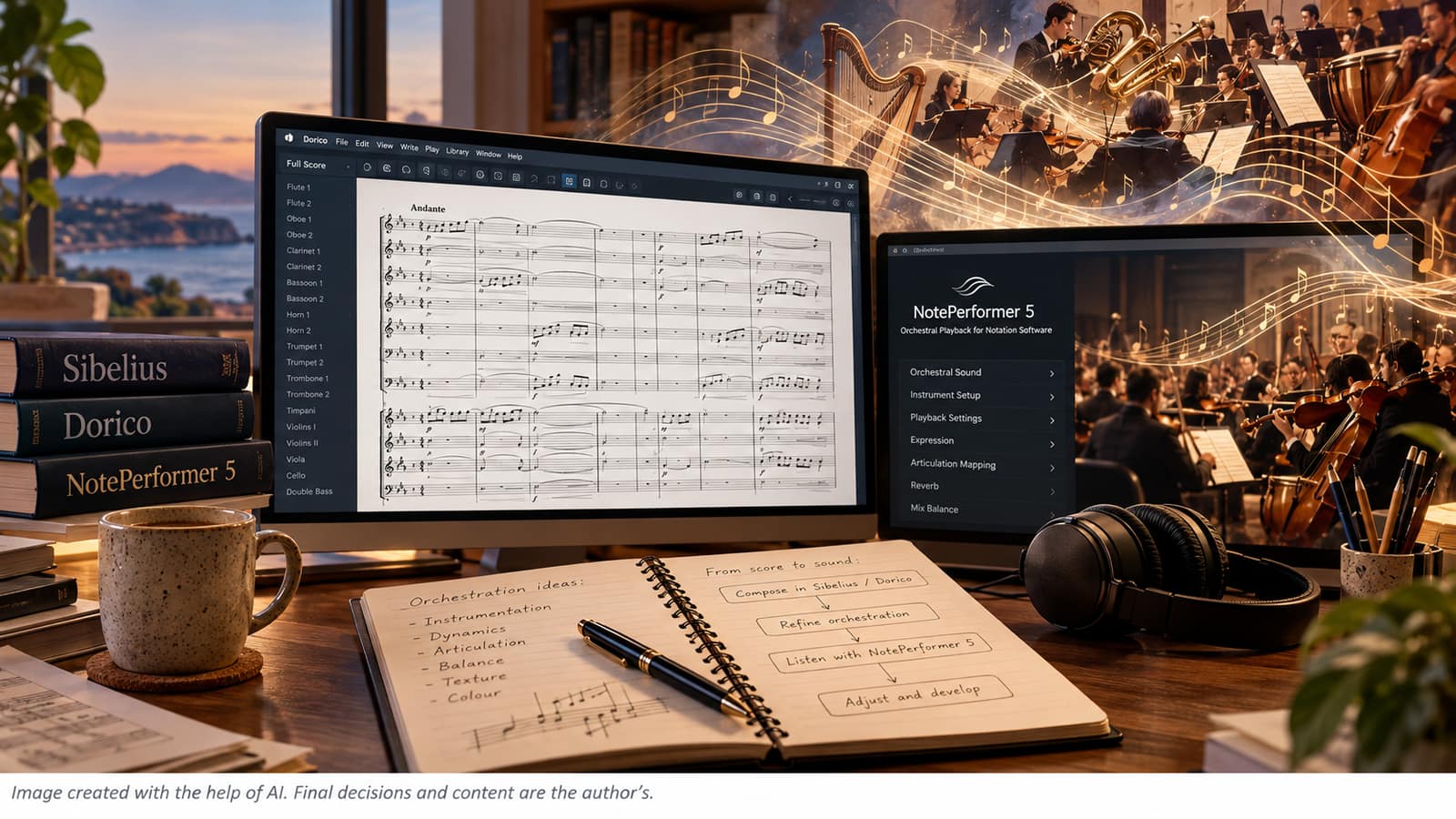
In my own workflow, I rarely start in a Digital Audio Workstation. I compose and orchestrate primarily in Sibelius and Dorico, using NotePerformer 5 to hear the score as it develops. This approach keeps the musical decisions at the centre of the process and turns playback into an integral part of composition rather than a separate production stage.
The goal is not to make a virtual orchestra sound exactly like a finished commercial recording. The goal is to make the playback realistic and expressive enough to answer an essential question: Does the music I have written actually sound the way I imagine it?
A Score Can Already Contain Much of the Performance
A musical score contains far more information than pitch and rhythm.
Instrumentation, dynamics, articulation, phrasing, register, balance and texture all contribute to the way an orchestral passage should sound. When those elements are clearly written, notation software can communicate a surprisingly large amount of information to a playback engine.
This is particularly important with modern notation software and intelligent playback systems. NotePerformer 5, for example, is designed to work directly with notation software and analyses the score to generate musical phrasing. It supports Sibelius and Dorico as well as Finale.
That means the composer does not necessarily have to program every expressive detail manually.
Instead, the question becomes: How much musical information can I communicate through the score itself?
Realism Begins with Orchestration
The first requirement for a convincing orchestral mockup is not reverb, EQ or compression. It is orchestration.
A virtual orchestra cannot transform an ineffective orchestral idea into a convincing one simply by using better sounds. If a melody lies awkwardly in an instrument’s register, if the accompanying texture masks the main voice, or if too many instruments are competing for the same space, the problem is already present in the composition.
This is one reason why I find notation-based playback so useful. When a passage does not work, I can return directly to the score and ask whether the problem is musical: Should the melody be moved to another instrument? Should the accompaniment be reduced? Would a different register produce more clarity? Should the articulation change? Would a different combination of instruments produce the colour I am looking for?
The answer is often found in the orchestration rather than the production.
Dynamics Are Part of the Composition
A common mistake when working with virtual instruments is to think of dynamics as a final production adjustment. They are not.
A crescendo is not simply a request to make the sound louder. A diminuendo does not merely reduce volume. Dynamic markings describe musical behaviour.
A convincing orchestral passage depends on the relationship between:
- the written dynamic
- the preceding and following material
- the melodic direction
- articulation
- register
- instrumental density
This is another area where notation-based playback becomes valuable.
If a crescendo is written into the score, it can immediately be heard in context. The composer can judge whether the musical gesture actually develops naturally or whether it needs to be rewritten.
The purpose of playback is therefore not simply to produce a better recording. It is to provide musical feedback while composing.
Articulation Changes the Character of the Sound
Articulation is particularly important in string writing. The same notes can sound completely different depending on whether they are played legato, staccato, pizzicato, tremolo, sul tasto, sul ponticello, with harmonics, vibrato or without vibrato.
These are not merely technical details added after the composition is finished. They are part of the musical language.
NotePerformer 5 supports a wide range of articulations and string techniques, including pizzicato, tremolo, harmonics, sul tasto, sul ponticello, legato, staccato and others. This makes it possible to use the notation itself to explore changes in timbre and texture.
For example, a repeated figure played pizzicato can create rhythmic definition, while the same material in arco may become more sustained and lyrical. A sul tasto passage can soften the colour, while sul ponticello can introduce a much more distinctive edge.
The notes have not changed. The musical meaning has.
An Example from Faces & Places
This relationship between notation, articulation and musical colour is particularly relevant to my own album Faces & Places.
The album consists of twenty compositions written for string quintet—two violins, viola, cello and double bass. The music relies heavily on changes in articulation, texture and harmonic colour.
In Salt Air Memories, for example, recurring harmonic and rhythmic material is continually reshaped through changes in texture. The score moves between pizzicato, arco, non vibrato and sul tasto writing, together with other subtle timbral changes.
These details are not production decoration. They are part of the composition itself.
Hearing them through notation playback makes it possible to evaluate whether the written textures create the intended balance and atmosphere while the work is still being developed.
Texture Is More Important Than Sheer Size
A common assumption is that a realistic orchestral mockup must sound huge. That is not necessarily true. Real orchestral writing depends as much on clarity and contrast as on size.
A small chamber ensemble can create an extraordinarily detailed musical texture when each instrumental voice has a clear function. Conversely, adding more instruments can make a passage less convincing if the additional material simply creates congestion.
This is one reason I often find chamber-orchestral writing particularly revealing when working with virtual playback.
In Ledesma, from Snapshots of Life Vol. 1, the orchestral texture is deliberately transparent, allowing individual instrumental voices to remain audible. Listening to the playback is useful because it reveals whether the relationship between those voices remains clear.
The mockup therefore becomes an orchestration test.
It answers a practical question:
Can I hear what I intended to write?
Rhythm, Repetition and Musical Movement
Realism is not only about timbre. Rhythm also determines how convincing an orchestral performance feels.
Repeated figures, ostinatos and layered rhythmic patterns can create movement without requiring large amounts of instrumentation. But their effectiveness depends on articulation, dynamics and the way different instrumental lines interact.
This is particularly relevant in The Discovery and The Machine That Was in a Hurry, where recurring rhythmic figures, contrasting rhythmic layers and gradual changes in texture contribute to the structure of the pieces.
A notation-based workflow allows these decisions to remain connected to the score. Instead of separating composition from programming, the composer can hear the interaction of the written parts while making changes to the musical structure itself.
Why I Do Not Start in a DAW
DAWs are extremely powerful tools for detailed MIDI editing, mixing, automation, effects and final production. But they are not necessarily the best place to begin composing orchestral music.
For composers who think first in terms of notation, orchestration and musical structure, starting with a DAW can sometimes shift attention toward technical programming before the musical decisions are fully resolved.
My workflow is different. I normally work in Sibelius or Dorico, where I can see the complete score while composing. NotePerformer 5 provides the playback, allowing me to hear how the orchestration develops. That does not mean a DAW has no role.
A DAW can still be useful later for additional mixing or production when a more elaborate mockup is required. But for me, it is usually secondary to the score rather than the centre of the compositional process.
The Advantage of Listening While You Compose
One of the biggest advantages of this workflow is speed.
When an orchestral idea exists only on paper, it can sometimes be difficult to evaluate its practical effect, particularly when several instrumental layers are involved. Playback provides immediate feedback.
A passage may look elegant in the score but feel too dense when heard.
A supposedly secondary counter-melody may turn out to compete with the principal line.
A dynamic transition may feel too abrupt.
An articulation may change the character of the passage completely.
These discoveries are not failures of the mockup. They are exactly why the mockup is useful. The virtual orchestra becomes an extension of the composer’s ear.
A Mockup Should Serve the Music
There is an important distinction between realistic playback and photorealistic audio production.
A commercial recording has qualities that a notation-based mockup does not need to reproduce perfectly: the acoustics of a particular hall, individual performer characteristics, complex microphone setups and the countless small variations that occur in a live ensemble.
Those things are valuable, but they are not necessarily the purpose of a composer’s working mockup.
For composition, what matters most is whether the mockup communicates:
- instrumentation
- balance
- articulation
- dynamics
- phrasing
- texture
- musical direction
If those elements are convincing, the mockup has already achieved its main purpose.
From Score to Sound
For me, this is ultimately the most useful way to think about orchestral mockups. The process begins with composition. The score contains the musical decisions.
Notation software provides the environment in which those decisions can be developed and refined.
NotePerformer 5 turns the notation into a playable orchestral interpretation, allowing the composer to hear the consequences of those decisions immediately.
And when something does not work, the solution may not be another plugin or another sample library. It may simply be a better musical decision.
That is why I do not think of an orchestral mockup as a substitute for an orchestra. I think of it as a way of listening to the score before the orchestra exists.
Final Thoughts
Realistic orchestral mockups do not begin with technology. They begin with musical decisions.
Good orchestration, convincing articulation, meaningful dynamics, clear instrumental roles and carefully designed textures provide the foundation. Notation software and intelligent playback can then turn those decisions into something the composer can hear and evaluate.
My own experience working primarily with Sibelius, Dorico and NotePerformer 5 has made the boundary between composition and playback much less important. The score is not simply a document produced after the music has been written.
It is the place where the music is written, tested and heard.
And sometimes, the most realistic mockup is simply the one that allows the composer to discover the truth about the composition.